Actions
SFTP.Connect
SFTP.ConnectPK
SFTP.Delete
SFTP.Disconnect
SFTP.Download
SFTP.Rename
SFTP.Upload
SFTP.Connect(string Hostname, string Username, string Password, number Port);
Description:
Connects to a SFTP server, using a login and password.
Hostname:
(string) The hostname or IP address of the FTP server to connect to.
Username:
(string) The account to be used on the FTP connection.
Password:
(string) The password to be used.
Port:
(number) The port to connect to. Defaults to 22 if not provided.
Returns:
(number) 0 if success, 1 otherwise. You can use Application.GetLastError to determine whether this action failed, and why.
Example:
res = SFTP.Connect("192.168.0.14", "admin", "mysecret", 22);
if (res ~= 0) then
    error = Application.GetLastError();
    Dialog.Message("SFTP", "Could not open FTP connection. ("..error..")");
end
SFTP.ConnectPK(string Hostname, string Username, string Keyfile, string Password, number Port);
Description:
Connects to a SFTP server, using a login and file holding a private key in OpenSSH or PuTTY format.
Hostname:
(string) The hostname or IP address of the FTP server to connect to.
Username:
(string) The account to be used on the FTP connection.
Keyfile:
(string) The path to the file holding a private key in OpenSSH or PuTTY format. The private key works as the password to the SFTP server account.
Password:
(string) The optional password to access the PPK. Leave blank ("") if there is no password for the accessing the private key.
Port:
(number) The port to connect to. Defaults to 22 if not provided.
Returns:
(number) 0 if success, 1 otherwise. You can use Application.GetLastError to determine whether this action failed, and why.
Example:
  res = SFTP.Connect("192.168.0.14", "testuser", "D:\\eSupport\\mykey.ppk", "mysecret", 22);
  if (res ~= 0) then
      error = Application.GetLastError();
      Dialog.Message("SFTP", "Could not open FTP connection. ("..error..")");
  end
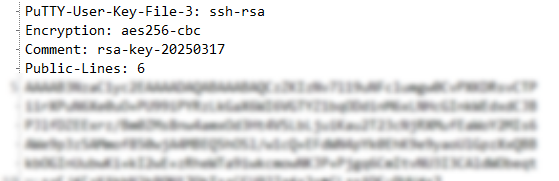
The beginning of a PPK file with an encrypted private key would typically look like this:
SFTP.Delete(string Filename);
Description:
Deletes one file on the remote FTP server.
Filename:
(string) The file to be deleted on the FTP server.
Returns:
(number) 0 if success, 1 otherwise. You can use Application.GetLastError to determine whether this action failed, and why.
Example:
-- this deletes a file inside a sub folder of the account's home path
res = SFTP.Delete("./subfolder/filename.ext");
if (res ~= 0) then
    error = Application.GetLastError();
    Dialog.Message("SFTP", "Could not delete the file. ("..error..")");
end
SFTP.Disconnect();
Description:
Closes an open connection to a remote secure FTP server gracefully.
Returns:
(number) 0 if success, 1 otherwise. You can use Application.GetLastError to determine whether this action failed, and why.
Example:
-- finishes data exchange with remote server
result = SFTP.Disconnect();
SFTP.Download(string Source, string Destination);
Description:
Downloads a file from a SFTP server.
Source:
(string) The name of the remote file to be downloaded.
Destination:
(string) The name for the local file.
Returns:
(number) 0 if success, 1 otherwise. You can use Application.GetLastError to determine whether this action failed, and why.
Example:
StatusDlg.Show();
StatusDlg.SetMessage("newfilename.exe");
SFTP.Download("newfilename.exe", "D:\\eSupport\\targetfile.exe");
error = Application.GetLastError();
if (error ~= 0) then
	Dialog.Message("Error", _tblErrorMessages[error], MB_OK, MB_ICONEXCLAMATION);
	Application.Exit();
else
	Dialog.Message("SFTP", "download ok");
end
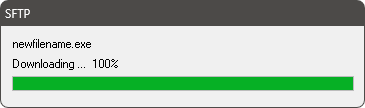
This will show the DlgStatus with download progress:
SFTP.Rename(string Oldname, string Newname);
Description:
Renames one file on the remote FTP server.
Oldname:
(string) The current filename of the file.
Newname:
(string) The new filename of the file in the current directory on the FTP server.
Returns:
(number) 0 if success, 1 otherwise. You can use Application.GetLastError to determine whether this action failed, and why.
Example:
res = SFTP.Rename("test.html", "newindex.html");
if (res ~= 0) then
    error = Application.GetLastError();
    Dialog.Message("SFTP", "Could not rename the file. ("..error..")");
end
SFTP.Upload(string Source, string Destination);
Description:
Uploads a local file to the remote FTP server.
Source:
(string) The full path to the file to be uploaded.
Destination:
(string) The name to be used for the remote file.
Returns:
(number) 0 if success, 1 otherwise. You can use Application.GetLastError to determine whether this action failed, and why.
Example:
  StatusDlg.Show();
  StatusDlg.SetMessage("newfilename.exe");
  SFTP.Upload("D:\\eSupport\\setup_x64.exe", "newfilename.exe");
  error = Application.GetLastError();
  if (error ~= 0) then
      Dialog.Message("Error", _tblErrorMessages[error], MB_OK, MB_ICONEXCLAMATION);
      Application.Exit();
  else
      Dialog.Message("SFTP", "upload ok");
  end
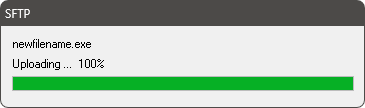
This will show the DlgStatus with upload progress: